Automation software cannot repair a vague definition of work. If nobody can name the trigger, boundary, owner, exception queue, and recovery path, a subscription only makes disorder run faster. Fill these seven boxes before requesting a demo or building a flow.
1. Observe real work before drawing the ideal
Sample ten recent cases from one process. For each, record who started it, which system received it, what field or file was missing, and every trip backwards. Compare the written procedure with what people actually did; a single clean example hides the work that automation will meet.
Microsoft describes process and task mining as ways to surface actual steps before identifying automation opportunities. Its preparation guidance also tells users to group recorded actions and remove sensitive information. Those are documented vendor capabilities, not proof that the product fits your environment.
- Ten cases, not one happy path
- Waiting time as well as click time
- Backtracking and work outside the system
- Sensitive data removed from recordings
2. Write a trigger and finish you can test
Use a machine-visible trigger: “a row is created with fields A and B complete” beats “when the request is ready.” Define an observable finish too—a record with an ID, a delivered notice, or a changed state. If the start is an opinion and the finish a feeling, success cannot be measured.
State what version one excludes. A narrow transfer between two systems is easier to govern than a flow that tries to solve approvals, filing, reporting, and every exception at once.
3. Separate rules from judgement
Classify each step as data movement, an explicit rule, or judgement requiring context. Copying a field is automation-friendly; checking an approved threshold is documentable; assessing a new supplier’s risk or choosing a candidate should not become a hidden condition without governance.
Design the human stop: who decides, what evidence they see, the response window, and the route when nobody responds. Good automation protects the decision from disappearing between messages.
This is a general operating framework, not legal, security, or procurement advice for a specific process.
4. Name a flow owner and an owner for every connection
Assign roles, not just people: process owner, flow owner, and owner of each connection account. What happens when an employee moves, a credential expires, or file access is revoked? A flow tied to its creator alone is a continuity risk before it is a technical success.
Microsoft’s licensing FAQ and limits documentation show why ownership and license context can affect action capacity and operation. Verify the rule for your exact flow and plan rather than carrying it from another product or license type.
5. Build the exception queue before the happy path
List the five likely failures: missing field, duplicate record, expired permission, rate limit, or renamed resource. For each choose safe retry, review queue, cancel with notice, or rollback. Never skip an error when that could leave two systems in conflicting states.
Make documents incomplete executions as a queue that can preserve failed-run state and restart from the failed module, while distinguishing temporary errors from data errors that need manual repair. Zapier documents workflow error and task-usage notifications through Zapier Manager, noting that an error event may identify the Zap rather than the exact task. These are vendor claims; test the detail available in your account.
6. Test duplicates and load before calculating savings
Send the same event twice. Does the flow create duplicates or use a unique key? Take the destination offline and restore it: does retry create a second side effect? Run a larger-than-normal batch and check connector limits. Failed calls and retries can also consume usage.
Microsoft documents run, retention, request, and retry limits, and notes that successful and failed actions plus retries may count. We avoid quoting prices because plans and regions change; model cost against observed volume and a plan verified on the purchase date.
- Unique key for duplicate prevention
- Searchable execution log
- Notification with state and owner
- Declared batch and rate ceiling
- A safe kill switch
7. Run a 14-day pilot with pass and stop rules
Use low-risk data and a parallel pilot rather than replacing the process immediately. Track straight-through completion, correctly routed exceptions, silent errors, recovery time, and operations or requests consumed. Compare against the ten-case baseline.
The purchase question is not whether the canvas looked easy. It is whether the product covers your trigger, systems, ownership, and failure model with acceptable governance. Publish a one-page map, exception log, and decision card. If ownership or recovery is still blank, fix the design before expanding the subscription.
- Pass: measurable outcome, no silent errors
- Constrain: reliable for one case type only
- Stop: ownership or exceptions remain uncontrolled
- Scale only after recovery is documented
What we verified—and what we did not test
Nawa Labs reviewed the linked Microsoft, Zapier, and Make documentation on 5 August 2026. It supports the existence of documented mapping, alerting, execution-history, retry, and limit features. We did not sign into paid accounts or test a particular plan, region, or connector in this review.
This is therefore a buying and pilot framework—not a product ranking or a security, savings, or performance guarantee. Validate the actual plan, contract, admin settings, retention, and data location in your environment.
Vendor claim = current documentation. Tested behaviour = evidence from your real account. Assurance = policy or contract reviewed by its owner.
●Optional workshop aid
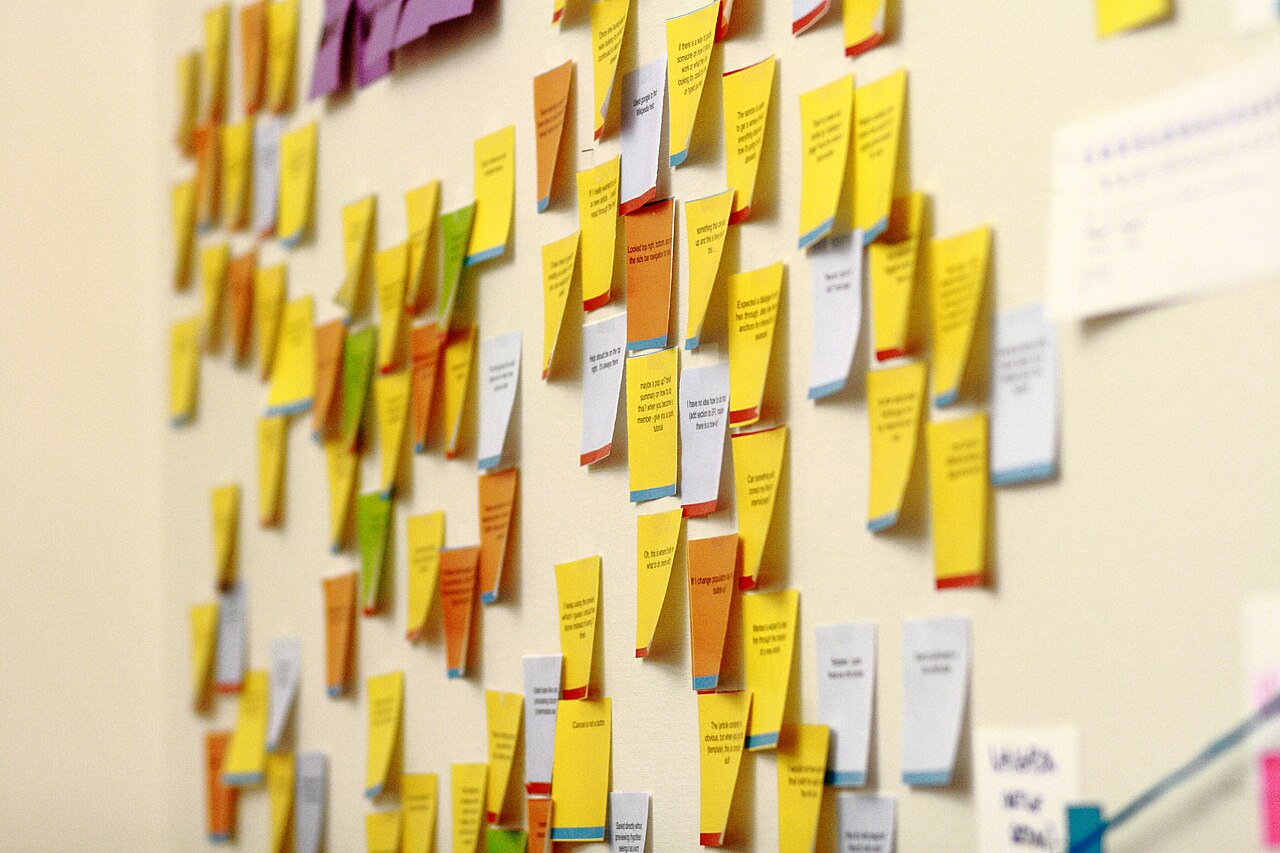
Large sticky notes and fine-tip markers can help a team map the process on a wall before moving it into software.
Amazon.sa ↗As an Amazon Associate I earn from qualifying purchases.Sources and verification method
Primary vendor documentation current at review time, plus a reusable real photograph. Products and plans can change.
- Microsoft Learn — Prepare processes and recordings
- Microsoft Learn — Power Automate limits and retry policies
- Zapier Help — Monitor errors and task usage with Zapier Manager
- Make Help — Manage incomplete executions
- Make Help — Overview of error handling
- Wikimedia Commons — Sticky notes on the Wikimedia Foundation office wall (Sage Ross, CC BY 3.0)
No productivity promise or legal, security, or financial determination is made.